What Each One Actually Does
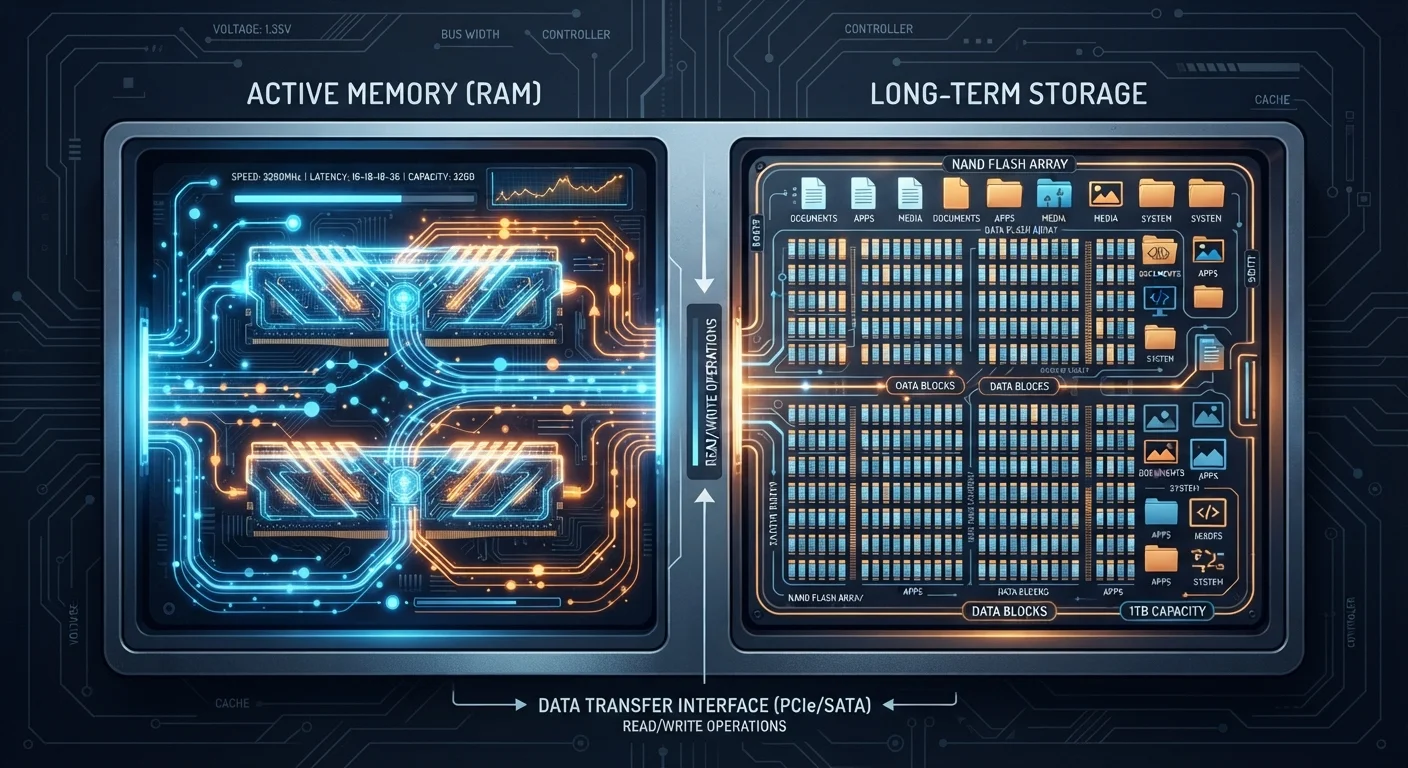
Think of your device as a physical workspace. RAM is your desk - the surface where you spread out whatever you're actively working on. The bigger the desk, the more you can have open at once without shuffling papers around. Storage is the filing cabinet across the room - it holds everything you own, but you have to walk over and retrieve it before you can use it.
When you open a web browser, your device pulls data from storage into RAM so it can work with it quickly. When you close the browser, that data leaves RAM. When you turn off your computer, RAM clears completely. Storage does not - that's why your files are still there after a restart.
Both are measured in gigabytes (GB) or terabytes (TB), which is the single biggest source of consumer confusion. Seeing "8 GB RAM" and "512 GB storage" on a spec sheet looks like they're measuring the same thing, but they describe completely different hardware doing completely different jobs.
| Criterion | RAM | Storage |
|---|---|---|
| Primary function | Active working memory | Long-term file retention |
| Data persistence | Clears when device powers off | Persists after shutdown |
| Typical consumer range | 8-32 GB | 256 GB-2 TB+ |
| Speed | Extremely fast | Slower (HDD) to fast (SSD) |
| Symptom of shortage | Freezing, slow multitasking | "Disk full" errors, can't save files |
| Common misconception | Adding RAM frees up disk space | SSDs are a form of RAM |
Why Mixing Them Up Costs You
This confusion leads to two common and opposite mistakes. The first is buying extra storage to fix a slow device. If your laptop is sluggish when switching between a spreadsheet, a video call, and a browser, adding a 1 TB hard drive won't help at all - RAM is almost certainly the constraint. The second mistake is buying maximum RAM while skimping on storage, only to realize you can't save your projects anywhere.
A related trap: shoppers sometimes assume an SSD (Solid State Drive) is a type of RAM because both sound fast and modern. An SSD is storage - it just accesses files much faster than a traditional spinning hard drive. It's still the filing cabinet; it's just a faster one. Spec numbers alone don't tell the whole story - understanding what each component does is what prevents overpaying for the wrong upgrade.
75%
Of PC slowdowns attributed to RAM
Industry repair data from consumer electronics services consistently points to RAM constraints as the leading cause of day-to-day performance complaints in aging devices.
3-5×
SSD speed advantage over HDD
SSDs typically offer read/write speeds several times faster than traditional spinning hard drives, though both remain categorized as storage rather than memory.
When a device does run low on RAM, most operating systems compensate by temporarily using a portion of storage as overflow - a process called virtual memory or a swap file. This works, but it's noticeably slower. If your device feels like it's grinding through molasses, that's often what's happening.
How to Think About Each When You're Evaluating a Device
Rather than chasing the higher number, match each spec to your actual habits.
RAM: Think about simultaneous activity
How many apps or browser tabs do you typically have open at once? Light users - email, web browsing, basic documents - generally function well with 8 GB of RAM. Power users juggling creative software, video calls, and research tabs benefit from 16 GB or more. For most consumers, RAM above a certain threshold delivers no perceptible benefit. As noted in our look at when higher numbers don't mean better performance, more isn't always meaningful.
Storage: Think about accumulation over time
How many photos, videos, and applications do you save locally? If you rely heavily on cloud services, you may need far less local storage than you assume. If you work offline or store large media files, storage capacity matters considerably more. Also consider the type: SSDs load files faster and are more durable, while traditional HDDs typically offer more gigabytes per dollar.
Cloud Storage Is Not RAM Either
Services like Google Drive or iCloud are remote storage - data saved on servers you access over the internet. They have no effect on your device's RAM or its local storage capacity in real time. Streaming a file from the cloud still requires it to pass through your device's RAM temporarily, just like any local file would.
Neither spec exists in isolation. A device with generous storage but inadequate RAM will feel slow in daily use. A device with ample RAM but cramped storage will run out of room. The goal is balance appropriate to how you actually work.